
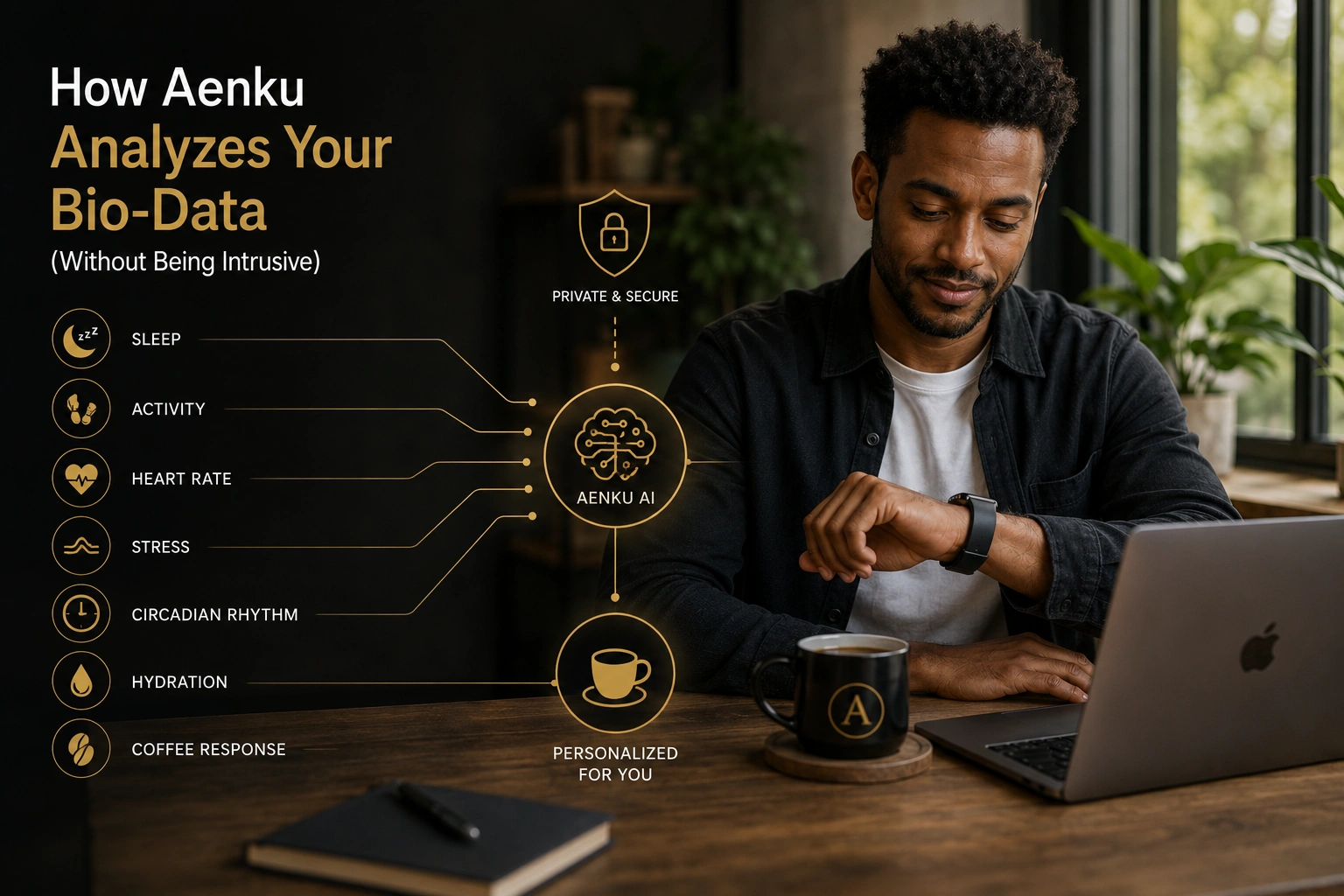
How Aenku Reads
Your Biology
Without Overstepping
From the HRV on your wrist to the label on your coffee bag, here is exactly what Aenku looks at, what it ignores, and how it turns raw biology into a cup that fits your day.
Every personalization platform says it learns about you. Most of them are doing something far simpler: they ask you a few questions, store your answers, and surface suggestions based on the most common response from people who answered the same way. That is segmentation, not personalization. Aenku is built around a different premise: that the data already being generated by your body, your wearables, and even the coffee bag in your kitchen is rich enough to produce recommendations that are genuinely specific to you, on this day, in this physiological state.
This is what that actually looks like under the hood.
The Data Sources
Aenku reads from six distinct input channels. Each one is optional. Each one improves the precision of your recommendations incrementally. None of them are required to get started — but the more you connect, the more accurate the engine becomes.
Apple Watch · Garmin · Fitbit · Samsung
- Heart rate variability morning score
- Resting heart rate trend over 7 days
- Sleep stage breakdown: deep, REM, light
- Activity load and recovery readiness
- Skin temperature deviation from baseline
Oura · Ultrahuman · RingConn
- Readiness score and autonomic balance
- Respiratory rate during sleep
- Nocturnal HRV continuous trace
- Body temperature circadian rhythm
- Activity and chronotype signals
Blood panels · Genetic · Gut microbiome
- CYP1A2 genetic variant: fast or slow metabolizer
- Cortisol serum levels and diurnal pattern
- Ferritin, B12, and iron affecting fatigue
- Thyroid panel influencing baseline energy
- Gut microbiome diversity and coffee response markers
Point your phone. Get a compatibility score.
- Bean origin and elevation
- Roast level and estimated compound profile
- Processing method: washed, natural, honey
- Roast date for compound freshness estimate
- Compatibility score against your current biology
What only you know about yourself
- Age, biological sex, and health conditions
- Medications that affect CYP1A2 clearance
- Perceived stress level: daily optional check-in
- Energy quality rating after each cup
- Cycle phase for hormonal rhythm context
What your history reveals
- Time of first coffee each day
- Number of cups and spacing between them
- Correlation of intake time with sleep onset
- Weekend vs weekday pattern divergence
- Response drift: is the same dose doing less over time?
All outputs update daily based on new incoming signals. A low-HRV morning shifts your timing automatically. A new coffee bag scan generates a modified recommendation against your current state, not a static profile from three weeks ago.
The Coffee Bag Scanner — a Closer Look
This is the feature most people do not expect. Most wellness platforms stop at your body. Aenku extends the data model to the coffee itself, because the compounds in your cup are as important as the timing you drink it at.
Point your camera. Get a biology-matched score.
Open the Aenku app, aim your phone at any coffee bag, and within seconds the engine reads the origin, roast level, processing method, and roast date. It then maps those variables against your current biometric state — your HRV from this morning, your cortisol window, your CYP1A2 profile — and returns a compatibility score with a plain-language explanation.
A light Ethiopian natural on a low-HRV recovery morning hits differently than it does on a high-readiness day. A dark French roast on an empty stomach after a poor night has a predictable gastric acid impact. The scanner does not tell you what to drink. It tells you what this specific bag will do to your specific body today.
What Aenku Deliberately Does Not Do
Specificity about what gets collected requires equal specificity about what does not. Aenku does not build advertising profiles. It does not sell data. It does not connect to your financial data, your location history, your contacts, or any data stream that is not directly relevant to coffee and recovery biology.
The question we asked at the beginning of every data decision was not what can we collect, it was what does the engine actually need to make a better recommendation. Everything else stays out.
Aenku Design Principle — Data MinimalismWhy This Feels Different
Most apps that collect health data use it to keep you engaged with the app. Every notification, every streak, every gamified nudge is designed to maximize your time inside their ecosystem. Aenku is designed to do the opposite: give you a clear signal in the morning and then get out of your way. The goal is not for you to think about Aenku. It is for you to drink a better cup and have a better day without having to think about either.
The data you share with Aenku is not the product. The recommendation it generates from that data is. That distinction is built into every design decision the platform makes, from what gets stored to how long it is retained to what happens if you delete your account.
See what your biology is saying about your next cup
Start with the two-minute quiz. Connect a wearable when you are ready. Scan your first coffee bag whenever you like. Aenku works at whatever level of data you are comfortable sharing.
Questions About the Data
What data does Aenku actually collect?
Aenku reads from six optional channels: smartwatch data, smart ring data, lab report uploads, the coffee bag scanner, manual self-report, and behavioral habit patterns. Every channel is optional. No data is sold or shared with third parties. Wearable sync can be revoked at any time from your settings.
How does Aenku use HRV data for coffee recommendations?
Heart rate variability is one of the most reliable real-time indicators of nervous system recovery. Low HRV on a given morning signals that your sympathetic nervous system is already under load. On those days, Aenku shifts your recommended timing later and reduces suggested dose to avoid compounding an already-stressed system with additional cortisol from poorly timed caffeine.
What is the Aenku coffee bag scanner?
The coffee bag scanner reads the label of your physical coffee bag using your phone camera. Aenku maps the bean origin, roast level, processing method, and roast date to your personal biology profile and produces a compatibility score along with a modified brewing recommendation specific to that coffee and your current physiological state. Scan data is processed on-device and not stored.
Does Aenku store my health data?
Aenku stores only what is necessary to generate personalized recommendations. Raw wearable data is processed into signals, not stored in full. Lab results are encrypted and anonymized for pattern modeling. Coffee bag scan results are on-device only. You can delete all stored data at any time from your profile settings.
Do I need a wearable to use Aenku?
No. Aenku generates meaningful personalization from manual inputs, age, lifestyle self-report, sleep estimates, and the coffee bag scanner alone. Wearable integration improves precision significantly, but it is always optional. You choose how much data to share and can change that decision at any time.
The most useful thing about Aenku is not the data it collects. It is the question it keeps asking on your behalf: given everything your body is doing right now, what is the best cup of coffee for this specific morning?
That question used to require a sports scientist, a nutritionist, and a sleep doctor working in the same room. Now it requires your wrist, your phone camera, and two minutes.
The data is just the means. A better morning is the point.

